TiviMate · Fire TV Stick
Set up TiviMate on Fire TV Stick
5 stepsAbout 10 minutes60-second video
Step by step
-

Step 1 of 5
Install Downloader
On the home screen, open Find, search for Downloader and install it. It’s free.
-
Step 2 of 5
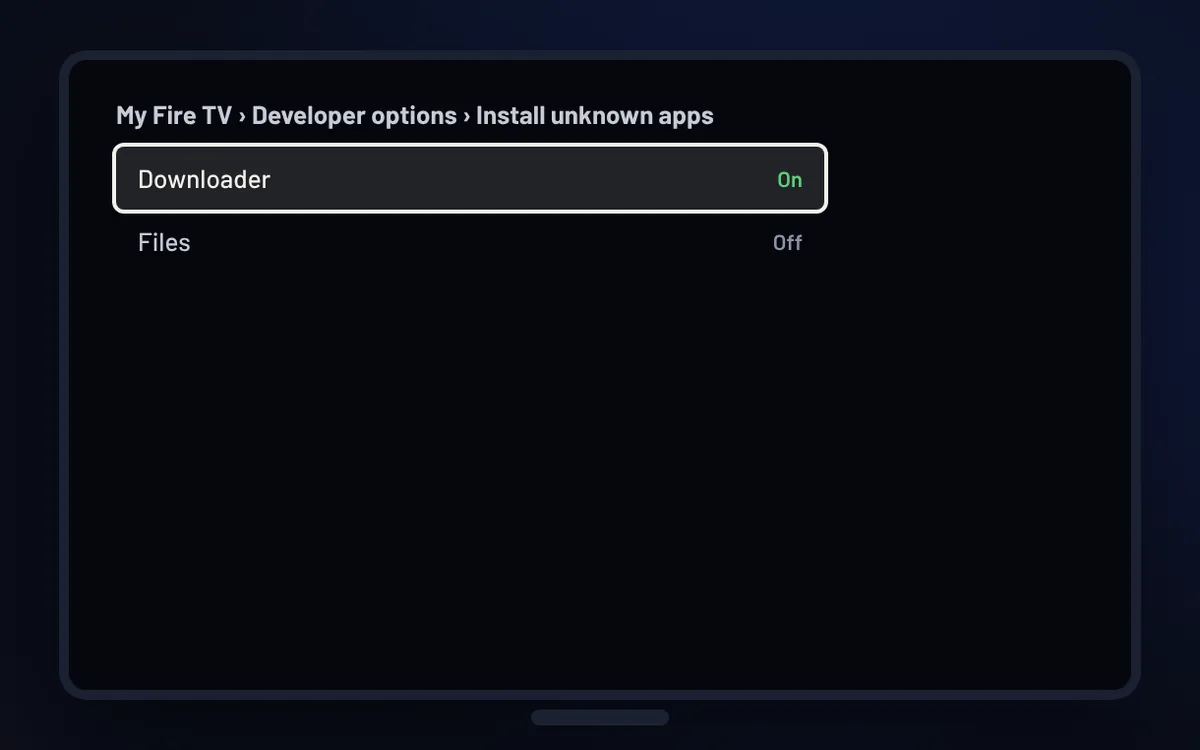
Allow unknown apps
Settings › My Fire TV › About: press your device name 7 times. Then Developer options › Install unknown apps and turn Downloader on.
-

Step 3 of 5
Download TiviMate
Open Downloader, type tivimate.com and install the app from its official website.
-

Step 4 of 5
Add your StreamNovo login
In TiviMate choose Add playlist › Xtream Codes, then enter the server address, username and password from your email.
-

Step 5 of 5
Start watching
Your channels and TV guide load in a minute or two.
Good to know
- Downloader is a free app from the Amazon Appstore. You only need it once.
- Your login details are in the email we sent after your order: server address, username and password.